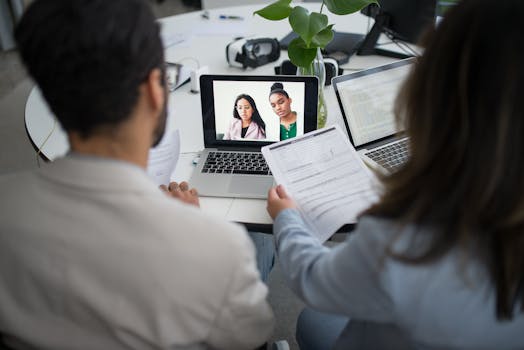
Appearing confident and polished in a virtual interview calls for new habits, and surprisingly small adjustments often have a big impact. This is a skill worth building.
Remote roles keep growing, so video interviews have moved center stage. You can showcase your best qualities with these virtual interview tips, gaining an edge from home.
This article gives you actionable advice to look professional on camera, manage nerves, and connect with hiring managers effectively. Dive in to transform your next interview.
Create a Camera-Ready Space for Clear Digital Presence
Controlling your environment guarantees a polished first impression. Virtual interview tips recommend a setup that mirrors calm, distraction-free professionalism from the moment the call starts.
Position yourself in a tidy, well-lit area. Natural light facing your face works well, but a desk lamp can help on cloudy days. Your background should be clutter-free at all times.
Organize Your Surroundings Before Logging In
Quickly scan the area behind you—remove stacks of paper or laundry baskets. A neutral wall or minimal shelving avoids sending mixed signals about your reliability.
Many candidates set their laptops so a simple bookshelf or plant sits behind them. The goal is visual calm, not a staged office. Stick to one or two items, maximum.
If you share a household, warn others you’re on camera. A quick sign or sticky note on your door signals not to disturb you, reinforcing your focused, interview-ready space.
Lighting and Camera Height Matter
Poor lighting casts shadows that distract from your expressions. Sit facing a window if possible. Avoid lights above or behind, which can make you appear tired or hard to read.
Elevate your camera so it’s level with your eyes. If your laptop sits low, stack books to raise it. This angle subtly helps you appear attentive and engaged from the start.
Adjust the frame so your head and shoulders fill most of the view. Sitting too close can seem intense; too far and you’ll lose connection. Practice with your device beforehand.
| Setup Element | Why It Matters | Check Before Call | Action Step |
|---|---|---|---|
| Background | Reduces distractions, supports professionalism | No personal items in view | Remove clutter, use plain wall or neat shelf |
| Lighting | Ensures your face is visible and inviting | Light source in front of you | Test natural or soft artificial light |
| Camera Height | Makes eye contact easier and posture natural | Camera at eye level | Elevate device with books if needed |
| Audio Setup | Clear sound lets you express yourself fully | No background noise | Test microphone and close nearby windows |
| Clothing | Anchors your professional impression | No distracting patterns | Pick solid, neutral colors suitable for the role |
Dress Intentionally for Video and Impress Every Interviewer
What you wear shapes first impressions even before you speak. These virtual interview tips ensure your appearance looks sharp and intentional, translating well to any screen.
Dress as you would for an in-person meeting but remember, on camera, patterns and certain colors can misrepresent. Crisp, solid tops and minimal accessories read as clean and confident.
Optimize for Color and Pattern
Busy patterns, stripes, and bright whites can cause visual distortion on screen. Stay camera-friendly with medium blue, soft gray, or muted earth tones to enhance approachability and focus.
If you love statement pieces, opt for a single small detail: a watch or lapel pin. For interviews, less truly signals more refinement and lets your words stand out.
- Select a clean, solid-colored top that contrasts with your background, so you remain the focus and don’t blend in.
- Skip large logos and bold patterns—these cause visual distractions and undermine a neat, cohesive look.
- Choose minimal jewelry and accessories to avoid jangling or glare that might distract your interviewer.
- Wear professional lower-half attire too; sitting upright improves confidence and readiness if you need to stand.
- Do a camera check before the call, noting how colors and fits translate, then adjust as needed for a crisp result.
Previewing your outfit on video ahead of time allows small tweaks, if necessary, to avoid any unintended distractions from your message and poise.
Clothing Comfort and Fit
Clothes that fit properly help you sit up straighter, minimize fidgeting, and stay composed. Avoid stiff collars or buttons that might tempt you to touch your neck.
Flexible, tailored fabrics ensure you look relaxed and confident without extra adjusting. On a long call, these choices keep your attention where it belongs—on the conversation.
- Pick tops that allow you to move your arms freely, so gestures feel natural and fluid on screen during answers.
- Choose breathable fabrics, especially if you’re prone to nerves, to keep you calm and sweat-free under pressure.
- Test your full outfit during a mock call, including your favorite shoes, as feeling “dressed” boosts inner confidence.
- Check for tags, static, or lint that could cause you to fidget unconsciously, drawing attention away from your responses.
- Keep a backup option close if you spill coffee or notice a last-minute wrinkle, so you’re never thrown off right before the call.
Preparing your clothing ahead of time using these virtual interview tips makes maintaining a professional look effortless.
Connect Authentically On Camera with Natural Eye Contact
Your screen presence relies on eye contact. Maintaining a genuine gaze builds rapport fast. Virtual interview tips like this foster trust right through your webcam.
Look into the camera when speaking. Glancing only at the interviewer’s face on screen gives the impression that you’re avoiding direct connection.
Training Yourself for Digital Eye Contact
Practice talking to your camera dot during video calls with friends. Use sticky notes on your device as reminders. This simulates steady eye engagement for your interview day.
If you need to check notes, use them sparingly. Glance down, then return focus to the camera. Avoid reading entire answers from the screen, as it appears unnatural.
If you forget, re-center mid-conversation and think, “connect through the lens.” This small reset brings energy back to your delivery and boosts real-time connection.
Reading the Interviewer’s Cues Remotely
While you can’t read the room, you can read facial cues. Watch your interviewer’s reactions for signs to pause or give explanations. Smiles signal engagement, furrowed brows indicate confusion.
If your interviewer nods or leans in, acknowledge with a brief nod and continue. If facial expressions sour or seem distracted, pause and check: “Would you like me to clarify that point?”
Repeating their name in answers, such as, “As you mentioned, Lisa,” personalizes the digital connection, showing you’re tuned in and attentive to the specifics of your conversation.
Speak Clearly with Strong Audio Cues
Clear sound enables interviewers to grasp your ideas fully. Virtual interview tips stress testing headphones or mics, so your words land with impact. Your voice must be easy to hear.
Test your equipment day-of and unplug unused electronics that could cause interference. Aim for a space with minimal echo—rooms with curtains or rugs help soften distracting background noise.
Practice Your Speaking Pace and Tone
Fast speech blurs ideas, while a slow pace feels disengaged. Record yourself answering common questions, then play it back to spot where you rush or drag.
Enunciate each word, using pauses for emphasis. Instead of long-winded sentences, use clear and concise phrases. Smile while speaking—it adds warmth and keeps your voice animated.
Minimize Background Noise
Let others at home know the planned interview time and request quiet. Close doors, silence phones, and disable noisy computer notifications for a professional atmosphere by default during virtual interviews.
Soft surfaces like rugs or curtains absorb echoes that tile or bare rooms create. Prepping your space in advance ensures crisp audio that puts the spotlight on your message—not your location.
Showcase Nonverbal Communication to Reinforce First Impressions
Body language shapes how you’re perceived even virtually. Virtual interview tips highlight posture, hand movement, and facial expressions—all visible on video even with a limited frame.
Sit upright with your feet flat on the floor, shoulders relaxed. Avoid slouching or shifting repeatedly, as this looks uncertain and distracts from your responses.
Hand Gestures and Facial Expressions for Clarity
Use hand gestures close to your torso or within the camera’s field. Resting your hands or using them to emphasize a key word adds clarity without overwhelming the frame.
Avoid touching your face or hair. This is distracting and can be misread as nerves. Instead, set your hands in your lap when not gesturing actively.
Relax your face with a gentle smile at the start and during greetings. Smiling on video makes you seem approachable and ready to engage with any question.
Posture and Movement in Extended Calls
Structure your space to allow sitting up straight longer: choose a supportive chair, feet on the floor, and a desk at elbow height. Avoid twisting, as it signals discomfort.
If you need to shift, do so briefly between questions, not during answers. This keeps movement from pulling focus away from your points and maintains overall energy.
Analogous to listening intently at a coffee shop, lean gently forward to show focus. Subtle posture cues convey present-mindedness and readiness for follow-up questions.
Prepare Thoughtful Answers Using Virtual Interview Tips
A strong response is clear and succinct. Prepare by reviewing the role, the company, and common virtual interview tips. Writing out answers and timing yourself helps boost confidence.
Tailor practice answers to highlight relevant work experience and career goals. Aim for stories that demonstrate impact, not just job routines—preparation makes you concise when the call is live.
Using the STAR Method for Clarity
Frame answers with STAR: Situation, Task, Action, and Result. This keeps stories succinct and on point. For example: “In my last job, I handled budget cuts (Situation).”
Continue: “I was assigned to improve efficiency (Task). I reviewed vendor contracts and renegotiated terms (Action). Savings increased by 15 percent (Result).” Practice this for efficiency and confidence.
Jot STAR notes for each role you’ve held, prepping two or three stories you can adapt for various questions. This makes your storytelling both memorable and relevant on camera.
Managing Unexpected Questions with Poise
If asked something unfamiliar, pause and acknowledge: “That’s a thoughtful question. Let me reflect for a moment.” Brief silence is preferable to stumbling or guessing under pressure.
Give a well-organized answer using frameworks you prepared. End confidently: “Based on my research and experience, here’s my approach.” This positions you as thoughtful, not unprepared.
Remind yourself with a sticky note: “Breathe, pause, deliver.” These three actions anchor you on camera, even under unexpected questioning, so you keep composure throughout the interview.
Practice Active Listening to Stand Out Virtually
Listening actively builds connection. In virtual settings, brief silences can feel awkward, so virtual interview tips include subtle visual cues: nods, smiles, and “I follow you there.”
Repeat key details from the interviewer’s questions, showing you’re present and engaged. For example, “You asked about remote teamwork—here’s what I’ve learned in virtual project setups so far.”
Clarifying Questions Confidently
If a question is unclear, calmly request clarification: “Could you please rephrase that?” This reflects confidence and ensures you answer accurately rather than guessing at intent.
Take short notes as the interviewer speaks, jotting keywords—not full sentences. This lets you stay focused on their voice while preparing thoughtful, relevant responses when your turn comes.
After you respond, recap briefly: “Does that address your question?” This offers easy feedback loops and keeps the virtual dialogue direct and friendly throughout your interview.
Responding to Multi-Part Questions
When given a complex, multi-part prompt, mentally break it into sections. Address the first part clearly, then transition: “Next, regarding project management, here’s my process…”
Paraphrasing each part ensures nothing is missed and shows active, structured listening. “To follow up, on your question about deadlines, I…” bridges naturally between ideas.
After finishing, check: “Have I addressed all aspects?” This confirms your thoroughness and gives the interviewer a simple cue to redirect or elaborate as needed before moving forward.
Final Thoughts: Bringing Virtual Interview Tips Together for Lasting Impressions
Each element, from setup to delivery, shapes how you’re seen by recruiters. Employing these virtual interview tips maximizes your impact from first greeting to final thank you.
Consistency across environment, attire, nonverbal cues, and listening habits reinforces professionalism every step of the way. Staying present and prepared creates memorable interviews without needing in-person meetings.
Commit to these strategies as habits. With practice, you’ll not only ace virtual interviews but master video presence—opening doors to remote roles and long-term success in digital-first careers.